
How to Create Branded Short Links with a Custom Domain
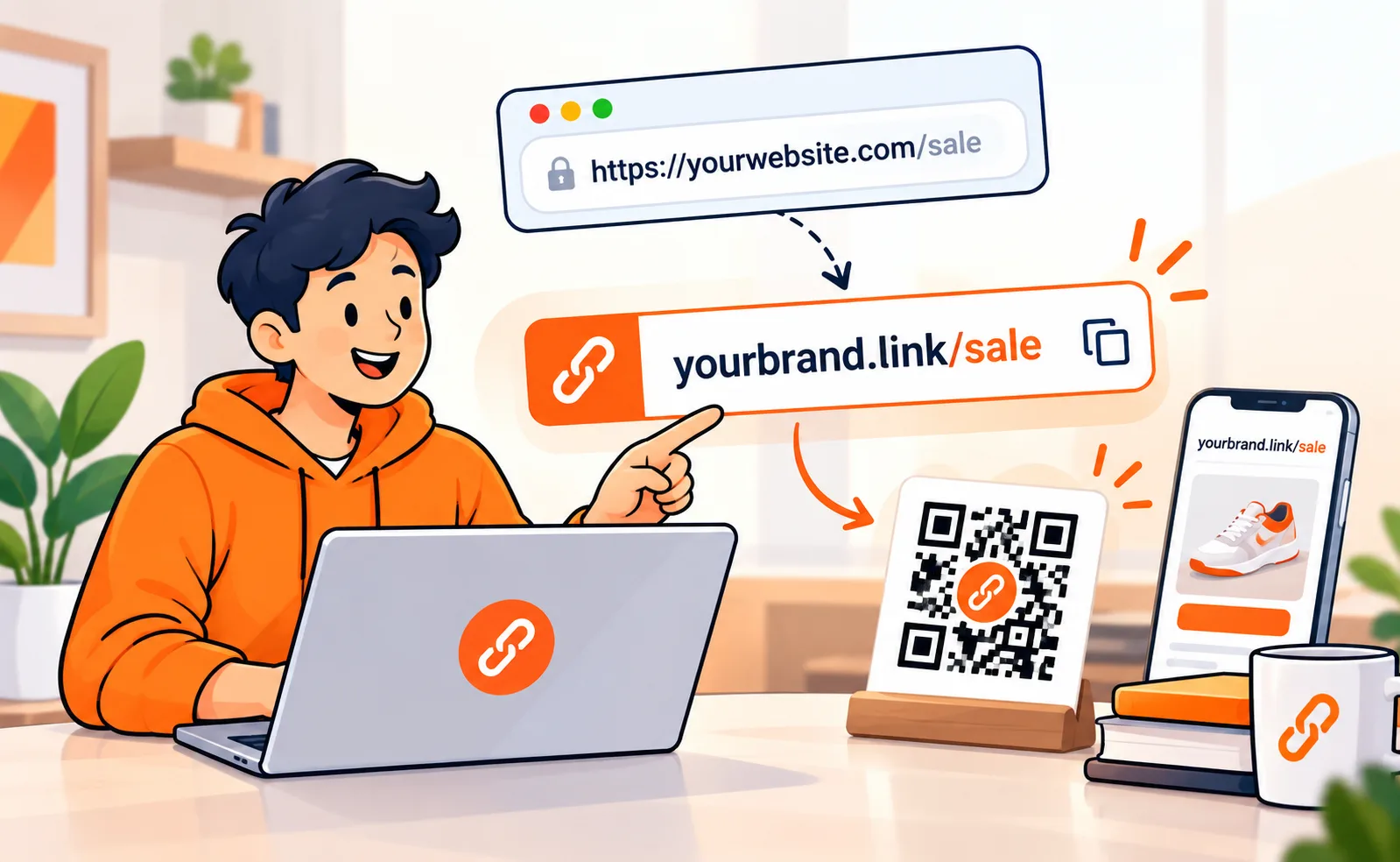
A generic short link does one job. It shrinks a long URL. A branded short link does three: it shortens, it carries your name, and it tells the person on the other side that the click is safe.
That is the difference between golink.ly/3xK9pQ and go.yourbrand.com/sale.
In 2026 most people still paste whatever the shortener gives them. Then they wonder why Instagram bios, WhatsApp forwards and print QR codes underperform. The destination is fine. The wrapper looks like spam.
This guide covers what branded short links actually are, when they are worth it, and how to set one up without touching a server.
Create a free tracked short link on Linkly first if you want to follow along:
What a branded short link actually is
A branded short link is a short URL that lives on a domain you control.
Instead of borrowing someone else's domain (bit.ly, tinyurl.com, golnk.li), you point a hostname you own at a shortener. New links then look like:
- go.studio/reel
- links.yourname.in/menu
- shop.brand.com/offer
The long destination stays hidden. Clicks still redirect. Analytics still fire. The only thing the visitor sees is you.
Two pieces make it work:
- A short domain or subdomain (usually a CNAME like go or links).
- A slug you choose (sale, yt, bio) instead of a random string.
The domain is the trust. The slug is the memory.
Why generic short links quietly lose clicks
This is not theory. People hesitate on links they cannot recognise.
A random string looks like a phishing redirect. Phone keyboards do not help: you cannot shout xK9pQ across a room. Print is worse. A poster with bit.ly/4nR2mL forces the reader to type garbage, or to trust a brand that is not yours.
Branded links fix the three places generic shorteners leak:
- Trust. Your name is in the URL bar before the hop.
- Recall. go.studio/menu survives a voice note. tinyurl.com/y7k2p does not.
- Measurement. When every campaign uses a slug you picked, reports stay readable six months later.
If you already shorten YouTube URLs, you have felt this. A tracked YouTube short link is useful. A branded one is what you put on a business card. (We wrote the YouTube version here: https://linkly.li/blog/how-to-shorten-a-youtube-link-and-track-clicks-free-guide-2026)
Branded vs unbranded - pick with the channel, not the tool
You do not need a custom domain for every link.
Use a generic short link when:
- You are testing a destination once
- The link lives inside an app that already shows a preview (email, Slack)
- You just need a click count for a personal experiment
Use a branded short link when:
- The URL is spoken, printed, or filmed
- The click is from strangers (ads, packaging, stage slides)
- The same link will be reused for months
- You care that the person knows who sent it
Instagram bios, YouTube descriptions, packaging QR codes, and WhatsApp broadcast lists almost always belong in the second group.
How to create a branded short link (the actual steps)
You need three things: a domain you already own, a shortener that accepts custom hosts, and five minutes in DNS.
1. Pick the host people will type
Do not burn your apex domain (yourbrand.com) on redirects unless you have a spare. Use a short subdomain:
- go. — short, easy to say
- links. — obvious
- to. — tiny, if your registrar allows it
Avoid clever spellings. If you have to explain it, it is wrong.
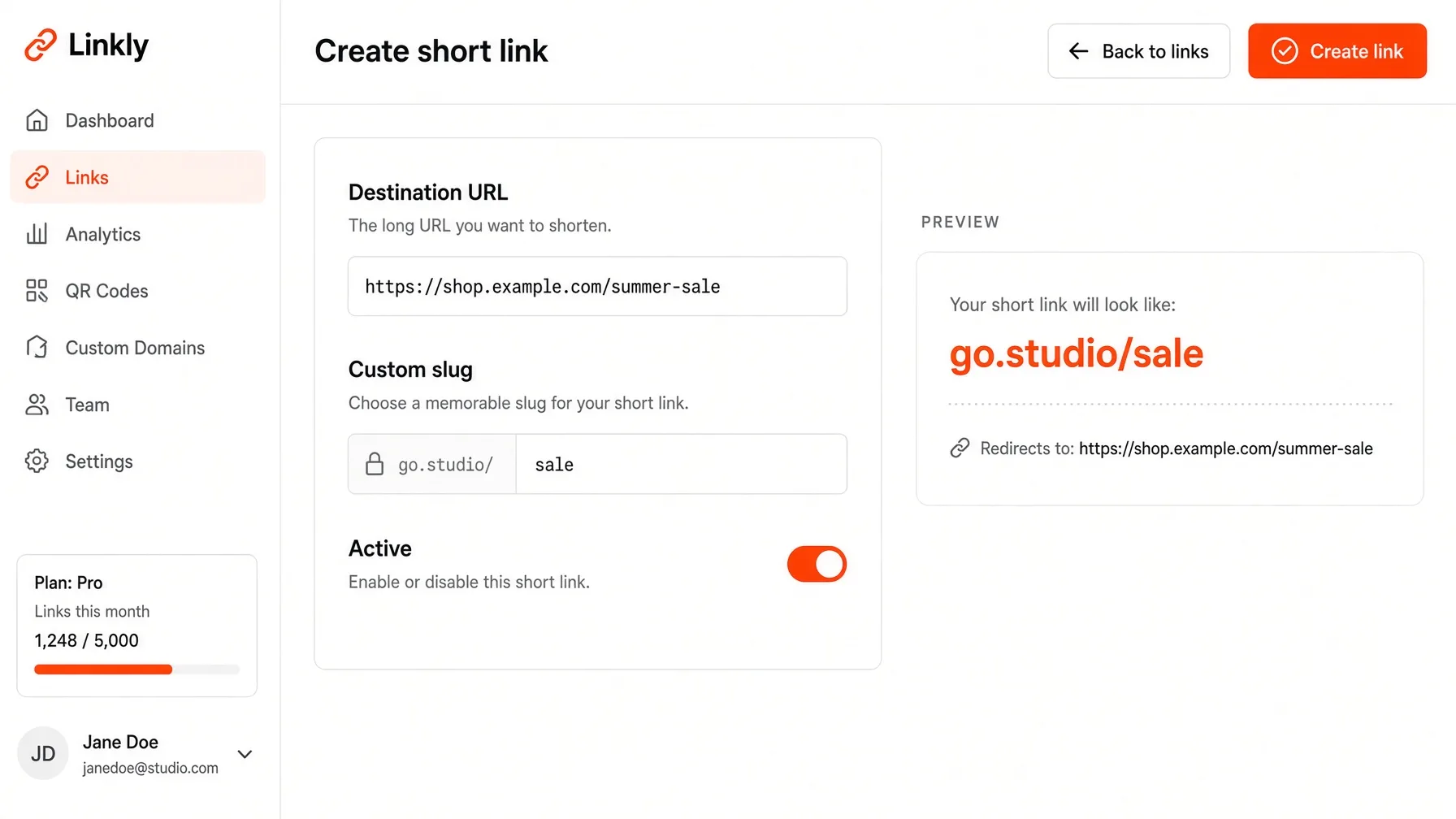
2. Create the short link first
Paste the long URL. Set a slug you will remember. Leave the link on the default short domain while you test. Confirm the redirect works on your phone, not only on desktop.
3. Add the domain in your shortener
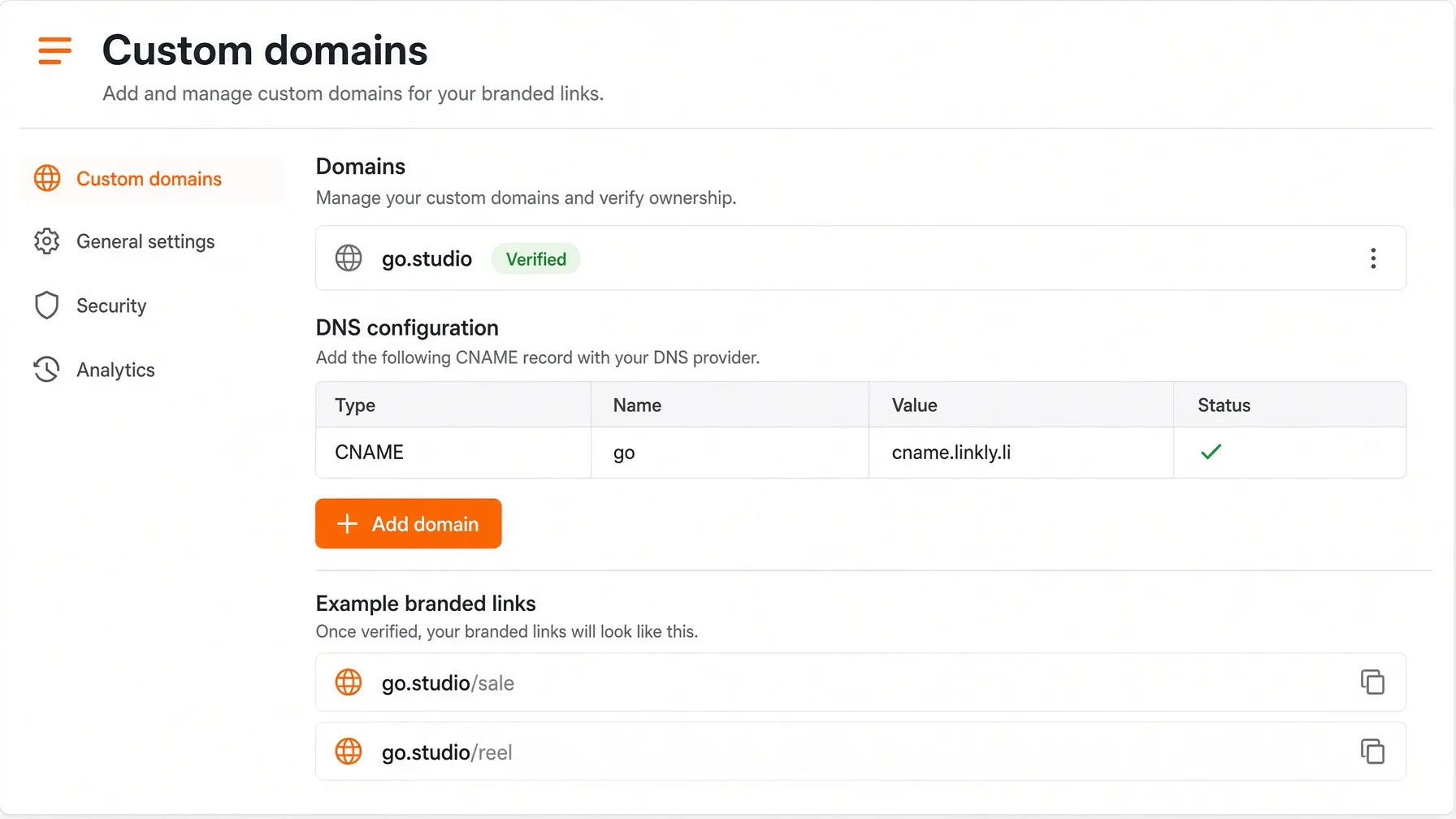
In Linkly this lives under Custom domains in the dashboard. You add the hostname (go.yourbrand.com). The app gives you a CNAME target. You do not upload SSL certificates by hand — the platform requests HTTPS once DNS is live.
Custom domains sit on paid plans. Free accounts still get tracked short links on Linkly's shared domain, which is enough to practise slugs and analytics.
4. Create the CNAME at your registrar
Wherever you bought the domain (GoDaddy, Namecheap, Hostinger, Cloudflare):
- Type: CNAME
- Name / host: go (or links)
- Value / target: the hostname the dashboard shows
- TTL: default
Save. Wait. DNS is the slow part, not the shortener. Five minutes is common. Twenty-four hours is the unlucky case.
If the dashboard still says unverified, you added an A record instead of a CNAME, or you put go.yourbrand.com in the Name field (double-host). Name should be only go.
5. Recreate or edit the link onto the new host
Once the domain is verified, create the public version: go.yourbrand.com/sale. Open it in an incognito window. You should land on the destination over HTTPS, with no browser warning.
Then share that URL, not the old shared-domain copy.
What to put in the slug
The slug is the entire message after the slash. Treat it like a headline.
Good: sale, menu, reel, hire, demoBad: page1, link, final2, test-new-new
Keep it lowercase, no spaces, no dates unless the offer dies with the date. If you run two campaigns at once, encode the channel: sale-ig, sale-yt. You will thank yourself in analytics.
Password-protect the link if it is a private deck. Set an expiry if it is a one-week drop. Neither of those belongs on a homepage URL.
Analytics: the reason you did the DNS
A branded link without stats is just a prettier redirect.
You want, at minimum:
- Clicks by day
- Country and city
- Device
- Referrer (Instagram vs WhatsApp vs direct / QR)
City-level data is how you find out the “Mumbai reel” actually converted in Pune. QR scans need the same treatment as link clicks — same dashboard, same campaign names. If you print codes, read this next: Click Here
Do not create a new shortener account for every channel. One branded domain, many slugs, one report.
Bitly, TinyURL, and the custom-domain catch
Most “free URL shortener” tools will give you a random link in ten seconds. Branded hosts are where the paywall starts.
Bitly still owns the mindshare. Branded domains and serious history sit on paid tiers, and the free cap on new links is tight if you ship campaigns weekly. TinyURL is fine for a throwaway. It is not a brand.
Rebrandly and Short.io built their names on custom domains. They work. They also price like marketing software.
Linkly is the other shape: a free URL shortener with click stats on a shared domain (golnk.li), then your own host on Creator or Business when you are ready to put the brand in the URL. Same dashboard as bio pages and QR codes, so you are not logging into three products to explain one campaign.
Start here if you want to see the flow before buying a domain: Free url shortener
Pricing if you already know you need the custom host: Pricing
Common mistakes (and the five-minute fix)
The SSL warning. DNS is not live yet, or you used an A record. Wait, or switch to CNAME.
The link 404s on the branded host but works on the shared domain. You never moved the link onto the new host. Create it again after verification.
You pointed the www of your main website at the shortener. Now your homepage is a redirect service. Use go. or links., not www.
You used the same slug on two destinations. The second save overwrites or fails. Change the slug, not the domain.
You printed 2,000 flyers before testing on a real phone. Always.
A simple setup that lasts a year
- Buy nothing extra if you already own a domain. Add go.
- Make four slugs you will actually reuse: bio, yt, wa, qr.
- Put go.yourbrand.com/bio in Instagram. Point it at your Linkly bio page, not a Google Drive folder. (Bio pages with products)
- Print one QR that hits go.yourbrand.com/qr. Update the destination whenever the offer changes. The printed code stays the same.
- Check city and device once a week. Kill slugs that get opens and zero useful time on site.
That is a branded link system. Not a pile of random bit.ly strings in a spreadsheet.
Start with a tracked link today
You can practise slugs and click reports on a free Linkly account without a custom domain. When a campaign is worth putting your name on, connect go.yourbrand.com and keep the same dashboard.
Already using Linkly? Add the domain from the dashboard, then switch the next campaign to your host. One CNAME. After that, every new link can look like you.