
Link in Bio: The Complete Guide
How profile links work, what to put behind them, and how to set up a bio page for Instagram, TikTok, YouTube and X.
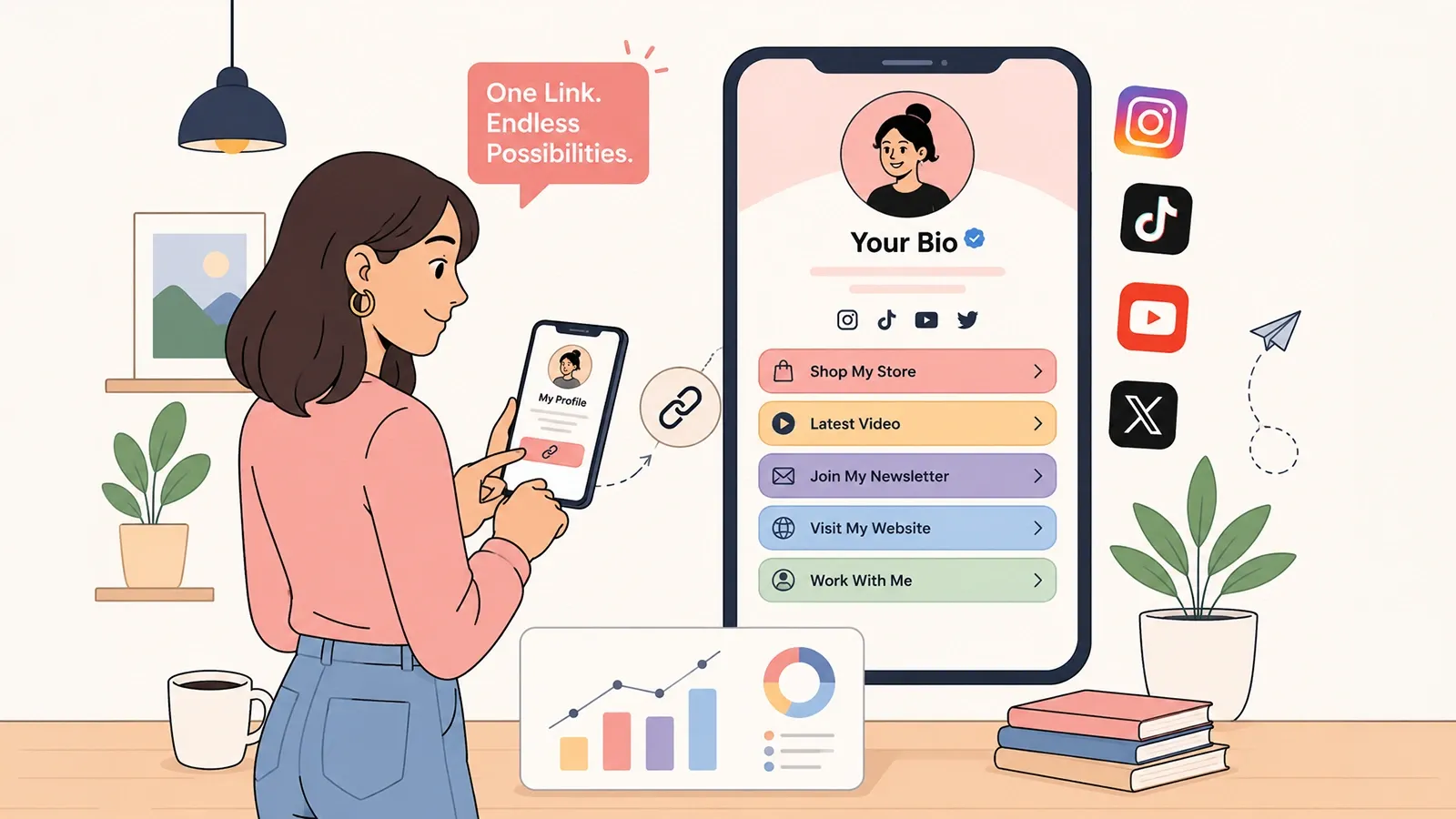
A link in bio gives visitors a route from a social profile to your website, latest work or contact details. Some platforms support several profile links. A bio page gives you one reusable address with destinations you can update and reorder.
This guide explains when a bio page helps, how to choose the destinations, and how to measure the links your audience uses.
When one bio page helps
Use a bio page when you share different destinations across platforms, need consistent branding, or regularly change your main offer. If one website page already answers your visitors' needs, linking to that page directly may be enough.
Where the link goes on each platform
| Platform | Where to add it | Notes |
|---|---|---|
| Edit profile → Links | Bio text is capped at 150 characters. Story link stickers are separate from the profile link. | |
| TikTok | Edit profile → Website | The website field has historically required a minimum follower count on some accounts. |
| YouTube | Channel customisation → Basic info → Links | Use the current channel editor to add profile links. Clickable video-description links depend on YouTube feature eligibility and video format. |
| X / Twitter | Edit profile → Website | A separate website field, so the bio text keeps its full character allowance. |
| Edit intro → Website | More generous with links than most platforms; the featured section takes several. | |
| Page → Edit page info → Website | Business pages allow additional action buttons alongside the website link. |
The mechanics are trivial on every platform. The decision about what the link points to is where the actual work is.
What to put behind the link
The instinct is to include everything. It is the wrong instinct, and the reason is arithmetic rather than taste.
Attention decays down a list. The first item on a bio page receives dramatically more taps than the fourth, and the eighth may as well not exist. Adding a link does not add traffic; it divides the traffic you already have. A page with twelve links is not twelve opportunities — it is one opportunity, buried under eleven distractions.
A workable structure looks like this:
Start with a few useful links and reorder them as your priorities change. Compare the resulting clicks rather than assuming one link count works for every audience. Grouping helps once you genuinely have more: a collapsible group keeps a course, a product range or a back catalogue accessible without letting it dominate the page.
Writing the bio itself
Front-load the important words. Platforms truncate bios from the end — in search results, in preview cards, in the collapsed view on someone's feed — so the last line you write is the first line to disappear. Say who you are and what you offer in the opening clause; save the personality for the end, where losing it costs nothing.
If you are close to the character limit, our bio character counter shows the count against each platform's limit as you type.
Measuring whether it works
A bio page without click data is a list with extra steps. The value of the format is that it sits between the platform and your destinations, which means it can count what the platform will not tell you.
Three numbers are worth watching, and only three:
A page with many views and few clicks is a page whose links do not match the promise that brought people to it. A page with a healthy ratio but few views has a discovery problem, not a page problem. The distinction changes what you should fix, and you cannot make it without both numbers.
Per-link counts matter more than the total. If one link takes eighty percent of clicks, the others are decoration and should be removed or replaced. If the newsletter link takes almost none, the problem is usually its position or its label, not the newsletter.
Do you actually need a bio page?
Often, no — and it is worth being honest about that.
If you have one destination and it does not change, link to it directly. You will lose per-link analytics you were not going to act on, and gain one fewer hop between the visitor and the thing they wanted. A bio page adds a step; that step should earn its place.
If your website already answers the question that brings people from your profile, send them there. A bio page in front of a good homepage is a menu in front of a menu.
A bio page earns its place in three situations: when you have several genuinely different destinations, when which one matters most changes regularly, and when you want to know which one people choose. Those are real problems, and a bio page solves them. Anything else is a habit.
Keeping the link when you switch tools
There is one structural decision worth making early, and it is the one most people postpone.
If your bio link points at sometool.com/yourname, then the tool owns your address. Switching services means updating the URL in every profile, every video description, every printed card — and abandoning any link you have lost the ability to edit. If your bio link points at links.yourdomain.com, the address is yours. Changing tools becomes a DNS change, and every link that already exists keeps working.
This is the same argument that applies to short links, for the same reason. The cost of a custom domain is small and the switching cost it eliminates is large, which is why it is worth setting up before you need it rather than after.
Frequently asked questions
Why use a bio page if a profile supports several links?
Some platforms support several profile links. A bio page can still give you one address for different platforms, a consistent design, and destinations you can reorder without editing each profile. It is useful when these benefits fit your workflow.
How many characters can an Instagram bio have?
Keep your profile text concise and use the dedicated Links field for website addresses. Bio text and profile-link fields have different limits; check the current Instagram editor for the allowance on your account.
How many links should a bio page have?
Fewer than most people expect. Every additional link divides attention, and the links below the first few are rarely tapped. A practical approach is to keep three to five active links and rotate them as your priorities change, rather than accumulating every link you have ever wanted to share.
Do I need a bio page, or can I just link to my website?
If your website already answers the question a visitor arrives with, link straight to it. A bio page earns its place when you have several genuinely different destinations, when the priority changes often, or when you want to know which destination your audience actually chooses. Those are the cases where a single website link loses information.
Can I track clicks on my bio links?
Yes, and it is the main reason to use a bio page rather than a plain list. Per-link click counts show which offer, video or product your audience responds to, which is information a static link in a profile cannot give you.
Start with a free Linkly account
Create short links, a bio page and QR codes from one account. Check current limits and premium features before choosing a plan. No credit card required to start free.
Get Started Free