
The Complete URL Shortener Guide (2026)
How short links actually work, when they help, and how to use them without breaking your tracking.
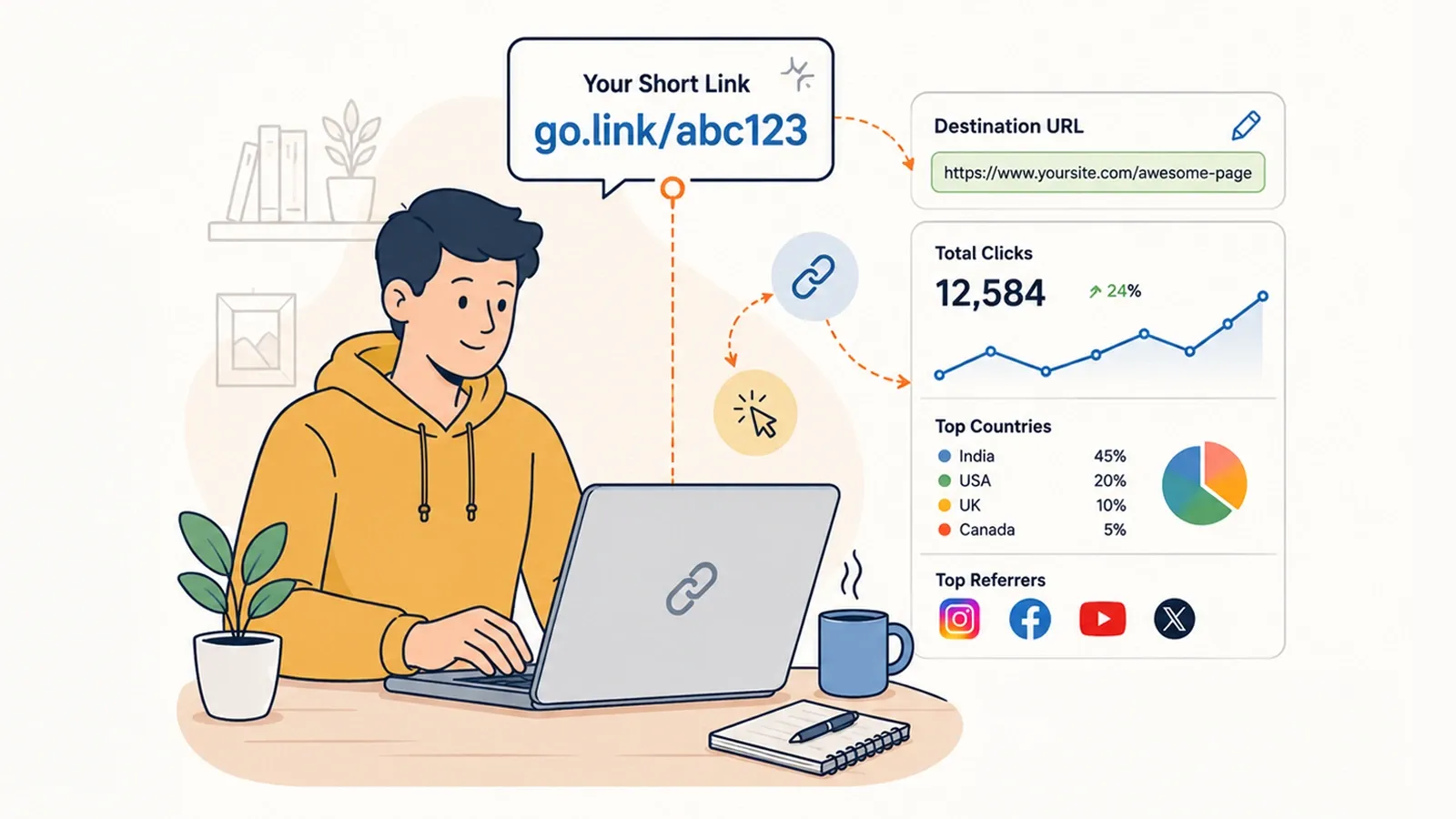
A URL shortener does one small thing: it takes a long web address, stores it, and gives you a much shorter address that redirects to it. That is the whole mechanism. What makes shorteners interesting is not the mechanism but the consequences — a short link is a piece of infrastructure you control, sitting between your audience and your destination, and that position turns out to be useful in ways a plain hyperlink can never be.
This guide covers how the redirect actually works, the decisions that matter when you choose a shortener, and the situations where a short link is the wrong tool entirely.
How a short link works
When someone clicks example.com/abc123, four things happen in a fraction of a second.
/abc123.
Step three is the reason shorteners exist as products rather than as a weekend script. The redirect is trivial; the record is the value. Everything a shortener sells you — analytics, geographic breakdowns, channel attribution — is assembled from that logging step.
301 or 302: the decision that matters
The redirect in step four carries a status code, and which one you send has real consequences.
A 301 means "moved permanently." Search engines treat it as an instruction to transfer ranking signals to the destination and to update their index. Browsers cache it aggressively, sometimes indefinitely. A 302 means "moved temporarily." Google treats temporary redirects differently when selecting a canonical URL; this is not a simple guarantee about whether ranking signals pass.
The practical rule is less about SEO than about permanence. If a short link's destination will never change, a 301 is correct and passes ranking signals cleanly. If the destination might change later — and for marketing links it very often does — an aggressively cached 301 becomes a liability, because a browser that has cached the redirect may not ask your server again for a long time. This is why services that offer editable destinations handle redirects carefully rather than blindly returning 301 for everything.
What a short link gives you that a normal link does not
Four things, in rough order of how much they matter.
A destination you can change after publishing. This is the one that justifies everything else. A printed flyer, a QR code on a menu, a link in a video description that already has a hundred thousand views — none of these can be edited. A dynamic short link can. The link stays the same; where it goes does not have to.
A record of who clicked. Not who individually, but how many, from where, on what device, arriving from which channel. A plain hyperlink gives you nothing until the visitor reaches your site, and if they bounce before your analytics loads, it gives you nothing at all.
Length that a human will accept. A tagged campaign URL with five UTM parameters and an encoded redirect can easily exceed two hundred characters. Nobody types that. Nobody reads it aloud. In a bio field capped at 150 characters, it does not even fit.
A branded surface. A link on your own domain looks like it belongs to you, because it does. This is not vanity — click-through behaviour is influenced by whether a link looks trustworthy, and an unfamiliar shortener domain in a message is a well-known phishing signal.
Short link, bio page, or QR code?
These three get conflated constantly, and they solve genuinely different problems.
| Use case | Short link | Bio page | QR code |
|---|---|---|---|
| One destination, shared digitally | Best fit | Unnecessary | Unnecessary |
| Several destinations, one slot | Wrong tool | Best fit | Wrong tool |
| Printed material, packaging, signage | Requires typing | Requires typing | Best fit |
| Destination may change later | Yes, if dynamic | Yes | Yes, if dynamic |
| Per-destination click data | Yes | Yes, per link | Yes, per scan |
| Works without a smartphone camera | Yes | Yes | No |
In practice they layer. A QR code on a poster resolves to a short link, which redirects to a bio page, which offers three destinations. Each layer exists because the layer beneath it cannot be changed after it ships.
Custom domains, and the link rot problem
Every link you create on someone else's domain is a dependency. If that service shuts down, changes its pricing, or simply removes free redirects, every link you have ever published on it stops working simultaneously. Links in old posts, links in printed material, links in the descriptions of videos you no longer control. This failure mode is called link rot, and shortener shutdowns have made it real more than once.
A custom domain removes the dependency. Because the domain is registered to you, the DNS record can be repointed at a different service, and every existing short link keeps resolving. You are no longer renting the address; you own it, and you are only renting the software that answers on it.
Working with UTM parameters
Shortening and tagging are complementary, not alternatives. The UTM parameters belong on the destination URL, where your analytics will read them. The short link wraps that tagged URL so it can be shared without embarrassment.
The order matters. Build the full tagged URL first, confirm it works, then shorten it. Reversing the order — shortening first, then trying to append parameters to the short link — usually results in parameters that are stripped at the redirect and never arrive anywhere. If you need to build a tagged URL, our UTM campaign builder assembles one correctly, and the URL encoder handles values containing spaces or ampersands.
When not to use a short link
Three cases, all of them common.
When the destination is already short and memorable. Shortening yoursite.com/about to a coded link makes it less readable, not more. You have removed information and added a redirect hop for nothing.
When the link must survive without you. Academic citations, legal documents, archival references — anything intended to be readable in twenty years should point directly at the resource. Every redirect is a thing that can stop working.
When the recipient has reason to be suspicious. Short links conceal their destination by design, which is precisely why they are used in phishing. In a cold email or an unexpected message, an opaque short link reduces trust rather than increasing it. A branded domain mitigates this; a generic shortener domain does not.
Choosing a shortener
Most services will shorten a URL competently, so the differences that matter are structural rather than functional. Four questions separate them:
- Can you use your own domain, and on which plan? This decides whether your links are portable or rented.
- Are the destinations editable after creation? Without this, a short link is only marginally better than the URL it replaced.
- What do the analytics actually record — a total count, or referrer, geography and device?
- Are short links, bio pages and QR codes one product or three purchases? They are usually needed together.
Answer those four honestly against your own requirements, and the choice tends to make itself. Themes, templates and interface polish are the most visible differences between services and, in day-to-day use, the least consequential.
Frequently asked questions
Do short links hurt SEO?
A short URL is not inherently harmful to SEO. Google interprets permanent and temporary redirects differently when choosing canonical URLs. Use the redirect type that matches the actual behavior; editable campaign links commonly use temporary redirects.
What is the difference between a 301 and a 302 redirect?
A 301 communicates a permanent move and is a strong canonicalization signal. A 302 communicates a temporary move. Browsers can cache permanent redirects, so editable links need a redirect and caching strategy that keeps later changes reachable.
What is link rot, and how do I avoid it?
Link rot is what happens when a shortener shuts down and every link it ever created stops working, including the ones printed on physical material. The protection is a custom domain: because the domain belongs to you, links built on it can be repointed to another service if you ever need to move.
Do short links still work if I add UTM parameters?
Yes. The UTM parameters live on the destination URL, so they survive the redirect and arrive in your analytics intact. This is the normal pattern: build the tagged URL first, then shorten it so it is short enough to share.
Can I change where a short link points after sharing it?
With a dynamic short link, yes. That is the main practical advantage over a plain hyperlink, and it is what makes short links viable on printed material and QR codes, where the printed destination can never be edited.
Do TinyURLs expire?
TinyURL states in its official help that its links do not expire. On Linkly, guest links expire after seven days; account-owned links have no default expiry unless an expiry is set.
Start with a free Linkly account
Create short links, a bio page and QR codes from one account. Check current limits and premium features before choosing a plan. No credit card required to start free.
Get Started Free