
Linktree Alternative (Free Bio Page, 2026)
Start with a free bio page, short links and QR codes. Product blocks, lead capture and premium designs depend on your plan.
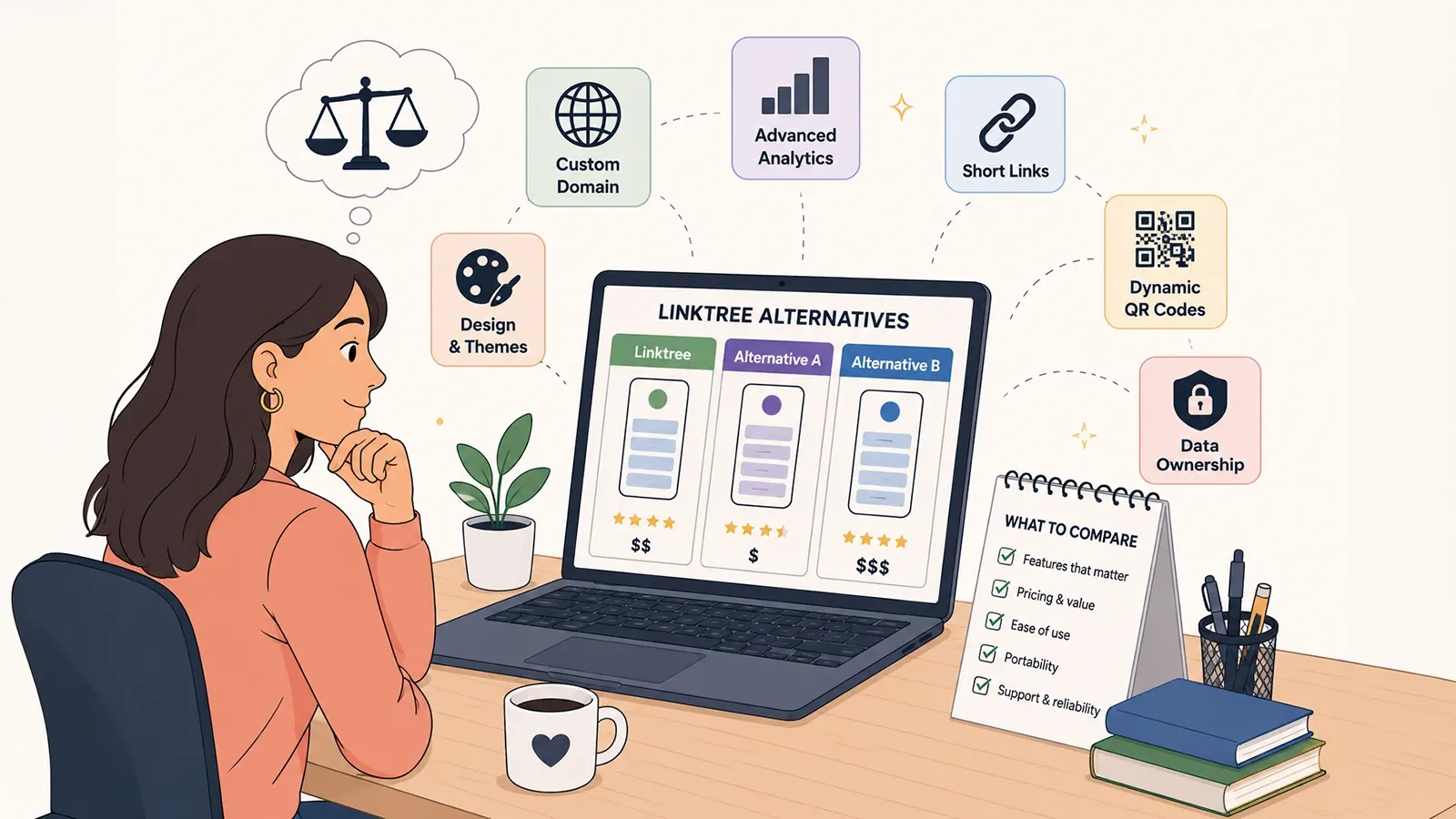
Most pages that rank for "Linktree alternative" are written by companies selling one. This one is too, so read it with that in mind — and hold it to the standard that implies. What follows is an attempt to describe what Linktree genuinely does well, where its trade-offs lie, and what actually differentiates the tools in this category, in terms specific enough that you could disagree with them.
People searching for a Linktree alternative usually want one of three things: a free bio page without heavy branding, a custom domain for Instagram or YouTube, or analytics that show which link was tapped — not only that the page was opened. Some also need India-friendly pricing or product blocks for affiliate links. Those jobs are different from “more themes,” which is why feature grids alone mislead.
The most useful thing to establish first: for a large number of people, the correct answer is to keep using Linktree.
What Linktree does well
It is worth stating plainly, because the rest of this page is a comparison and comparisons written by competitors have a habit of skipping this part.
It is the default, and defaults have real value. Linktree defined this category. When someone sees a Linktree URL in a bio, they know what it is and they tap it. An unfamiliar domain carries a small but genuine trust cost. Brand recognition is not a feature you can build in a sprint, and Linktree has a decade of it.
Setup is genuinely fast. The onboarding is well-designed, the editor is uncluttered, and a usable page exists within a few minutes of signing up. Many competitors, ours included, ask more of you before you see something worth sharing.
The template and theme library is deep. If visual variety without design work is what you want, Linktree offers themes and design controls; compare the options available on your intended plan.
The integration ecosystem is broad. Embedded music players, video, commerce blocks, third-party app connections. If your page needs to embed a specific service, Linktree is more likely to support it natively than a smaller tool is.
Where the trade-offs are
Every free tier is a business decision, and Linktree's is a reasonable one. But it is worth understanding what the decision is.
Linktree currently lists unlimited basic links on Free, basic analytics on Starter, and branding removal and custom designs on Pro. Premium lists all-time analytics and data export. Confirm the current official plans for the features you need. Custom-domain hosting should be verified separately: forwarding a domain to a Linktree URL is different from serving the page on that domain.
None of that is unfair. It is how a free product funds itself. It does mean that comparing free tiers tells you very little, and comparing paid tiers requires you to first work out which specific feature you are actually paying for.
The question that actually decides it
In our experience the decision almost always comes down to one thing, and it is rarely the thing people start by comparing.
Not themes. Not the number of blocks. Whether the address in your bio belongs to you.
If your link is sometool.com/yourname, the tool owns your address. Leaving means changing the URL in every profile, every video description, every business card already printed — and abandoning every link you can no longer edit. If your link is links.yourdomain.com, the address is yours; moving between services can preserve the address if you recreate the required content and paths, then test DNS and HTTPS before switching.
This is why the tier on which a custom domain becomes available is a more consequential comparison point than any visual feature. It determines whether the next switch is cheap or expensive.
What to compare, concretely
Rather than a scoreboard, here are the questions that separate tools in this category, and what a good answer looks like. Verify the current answer for any tool against its own pricing page before deciding — these details change, and a comparison table maintained by a competitor is not a source of truth.
| Question | Why it matters | What to look for |
|---|---|---|
| Custom domain, on which tier? | Decides whether your links are portable or rented | The lowest tier that includes it, and whether SSL is automatic |
| What do analytics record? | A total count cannot tell you what to change | Per-link clicks, referrer, geography, device — not just a number |
| Are short links included? | Most people end up needing both | Whether it is one product or a second subscription |
| Are QR codes dynamic? | A static QR cannot be repointed once printed | Editable destination after the code is generated |
| Can you export your data? | Lock-in is usually accidental, not malicious | Link list and analytics export in a usable format |
| What is the currency and tax treatment? | USD pricing plus card fees adds up outside the US | Local currency billing, if that applies to you |
Choosing between them
Three honest recommendations, including one that sends you away from us.
Choose Linktree if…
- Brand recognition on the link itself matters to your audience.
- You want ready-made themes and the design controls included in your chosen plan.
- You depend on a specific native integration or embed that smaller tools do not support.
- You already use it, it works, and nothing on this page describes a problem you have.
Choose Linkly if…
- You want short links and bio pages together, with custom-domain access on an enabled paid plan.
- You need bio pages, short links and dynamic QR codes as one product rather than three.
- You want per-link click data, including on links nested inside groups.
- You are billing in INR and would rather not pay in USD.
Choose neither if…
- You have exactly one destination. Link to it directly. A bio page in front of a single URL is a step that earns nothing, and every step loses people.
- Your website already answers the question people arrive with. Send them there. A bio page in front of a good homepage is a menu in front of a menu.
- You need something highly bespoke. A static page on your own hosting will always be more flexible than any tool, at the cost of the analytics and the ten-second edit.
What switching actually involves
Less than people expect, with one exception.
The exception is historical analytics. Click data does not transfer between platforms, and no tool can move it for you. If several years of trend data matter to you, export it before you switch, and accept that your new page starts from zero regardless of which service you choose.
If you are weighing this up, the two pages worth reading next are our guide to what actually belongs on a bio page — which applies whichever tool you pick — and the practical case for owning the domain your links live on.
Frequently asked questions
Is Linktree still worth using?
For many people, yes. Linktree is the most recognised tool in the category, it is quick to set up, and its free tier covers the basic use case of listing links. If you need nothing beyond that, switching tools for its own sake is not a good use of your time.
What are the main limitations of Linktree free?
Linktree currently lists unlimited basic links on Free, basic analytics on Starter, and branding removal and custom designs on Pro. Verify the current official plans before choosing. Do not treat a domain that redirects to a Linktree address as native custom-domain hosting.
What should I actually compare when choosing a bio page tool?
Four things decide it in practice: whether you can use your own domain, what the analytics actually tell you, whether short links and QR codes are included or sold separately, and what the total cost is once you need the features you care about. Themes and templates are the most visible difference and usually the least important one.
Can I move my links from Linktree to another tool?
Yes. A bio page is a list of links, so moving means recreating those links elsewhere and updating the single URL in your social profiles. The work is small. What you cannot move is historical analytics, so export or note anything you want to keep before you switch.
Will switching break the link in my Instagram bio?
Only until you update it, which takes a few seconds. If you use a custom domain, the URL in your bio never has to change at all, because the domain belongs to you rather than the tool. That is the strongest practical argument for a custom domain regardless of which service you choose.
Start with a free Linkly account
Create short links, a bio page and QR codes from one account. Check current limits and premium features before choosing a plan. No credit card required to start free.
Get Started Free