
How to Track QR Code Scans With Advanced Analytics (Free Guide)
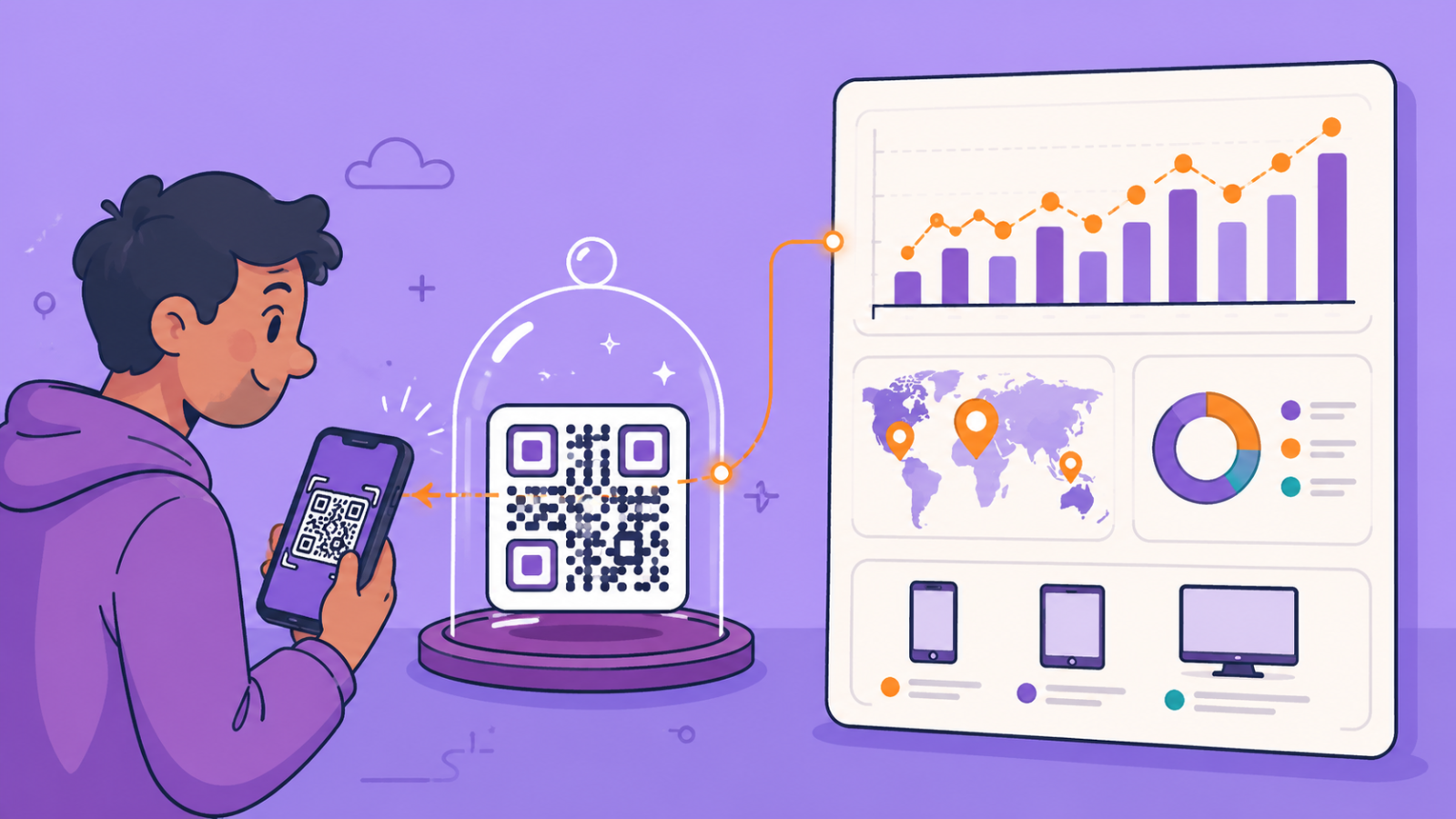
If you've ever printed a QR code and wondered whether anyone actually scanned it, you're not alone. Most QR codes in circulation aren't built to tell you.
The good news: tracking exactly who scans your QR code, when, and from where isn't complicated or expensive. It just needs the right kind of QR code, and about five minutes to set up.
Why Most QR Codes Can't Be Tracked
Here's something most people don't realize until it costs them a reprint: there are two fundamentally different kinds of QR codes, and only one of them can be tracked.
A static QR code encodes your destination directly into the pattern itself. Once printed, it's frozen — you can't change the link, and you can't see who scanned it. If your menu changes or your promotion ends, that code now points nowhere useful, and every printed copy becomes waste.
A dynamic QR code works differently. It encodes a short redirect link you control from a dashboard. Scan it, and it forwards the visitor to wherever you've currently set it to go — so you can update the destination anytime, without reprinting anything. Because every scan passes through that redirect first, it can also be logged: the time, the approximate location, and the device used.
This difference isn't cosmetic. Recent industry research on QR code usage found that dynamic codes now dominate business use almost entirely — most marketing campaigns and printed materials rely on the dynamic, trackable kind, precisely because static codes can't answer the one question every business actually wants answered: is this working?
What "Advanced Analytics" Actually Means for a QR Code
Analytics on a QR code isn't just a raw scan counter, though that's a start. A properly built dynamic QR code should show you:
- Scans over time — a day-by-day breakdown, so a scan spike can be traced back to a specific event, post, or placement
- Where scans come from — country and city-level location, so you know if a restaurant menu QR is being scanned by walk-ins or a packaging QR is turning up three states away
- What device people scan from — mobile, tablet, or desktop, which matters more than it sounds (a code scanned mostly from desktops usually means people are viewing a photo of your flyer online, not scanning it in person)
- Total scan volume, so a QR code's performance can be measured the same way any other marketing channel would be
None of this needs special hardware or a separate analytics subscription. It just needs the QR code to be dynamic — tracking happens automatically, on every scan, the moment it's set up correctly.
This matters more than most people expect. Recent surveys show that getting more information is the single biggest reason people scan a QR code in the first place — ahead of discounts and ahead of payments. People are actively choosing to engage. The businesses that win aren't the ones with the most QR codes out in the world; they're the ones who can actually see which codes are working and adjust the ones that aren't.
How to Set This Up (Step by Step)
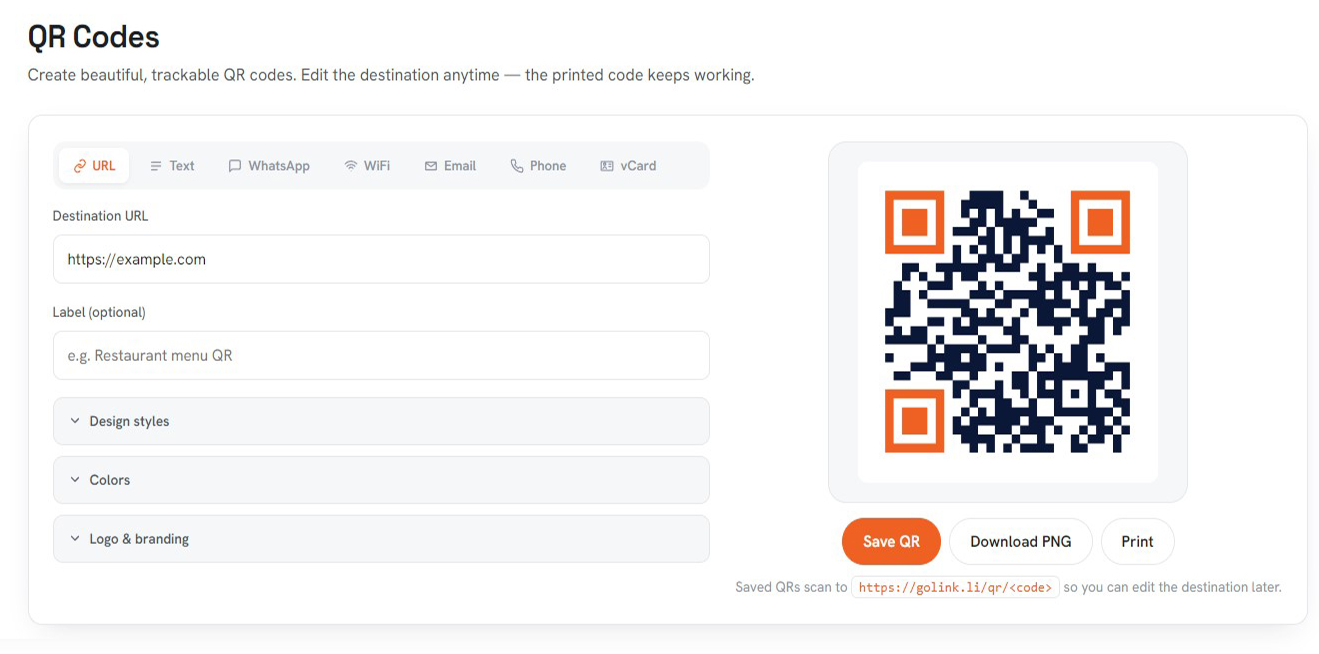
- Create a dynamic QR code, not a plain image generator. A tool that just turns a link into a PNG without asking you to sign in isn't tracking anything — it's drawing a picture of your link, nothing more.
- Point it at your real destination — your menu, landing page, or contact card.
- Print and place it, exactly as you would a static code. Nothing about how it looks or scans changes.
- Check the analytics dashboard once it's live. Scan counts should appear within seconds of the first real scan, not hours later.
- Change the destination anytime, without touching the printed code. A restaurant updating a seasonal menu, or a brand running a code on packaging already on shelves, never has to reprint anything.
With Linkly, this is built into the QR tool directly — every saved QR code is dynamic by default, and scan analytics (by day, by country, by city, and by device) are available the moment you create one, at no extra cost. You can also choose from several QR content types beyond a plain URL — WhatsApp, WiFi credentials, a digital contact card, and more — with the same tracking behind every one of them.
Create QR Code →
Turning Scan Data Into Actual Decisions
Numbers only help if you act on them. A few practical ways to use QR scan data once you have it:
- Most scans in the first 48 hours? The engagement window is short — plan follow-up promotions around it instead of assuming steady traffic.
- A city or country showing unexpectedly high scans? That's a real signal about where your audience actually is, not where you assumed.
- Mobile scans dominate but desktop isn't negligible? The code is likely being shared as an image online — the destination needs to work well on both, not just at the moment of a phone-camera scan.
- Barely any scans at all? Just as useful to know — the placement, not the offer, is probably the problem.
The Bottom Line
A QR code without analytics is a bet you can't measure. A QR code with analytics is a small, continuous source of real customer behavior data — for free, with no extra hardware, and no separate tool to manage.
If you're currently using static QR codes anywhere in your business — on menus, packaging, business cards, or event signage — switching to dynamic, trackable ones costs nothing but a few minutes, and it's the only way to ever answer the question every printed QR code quietly raises: did anyone actually scan this?
Ready to see your own QR scan data? Create a free dynamic QR code and get scan-by-day, location, and device analytics automatically — no credit card required.